Which Ledger Should You Buy? A Plain-English Guide for Crypto and NFT Holders
This post contains affiliate links.
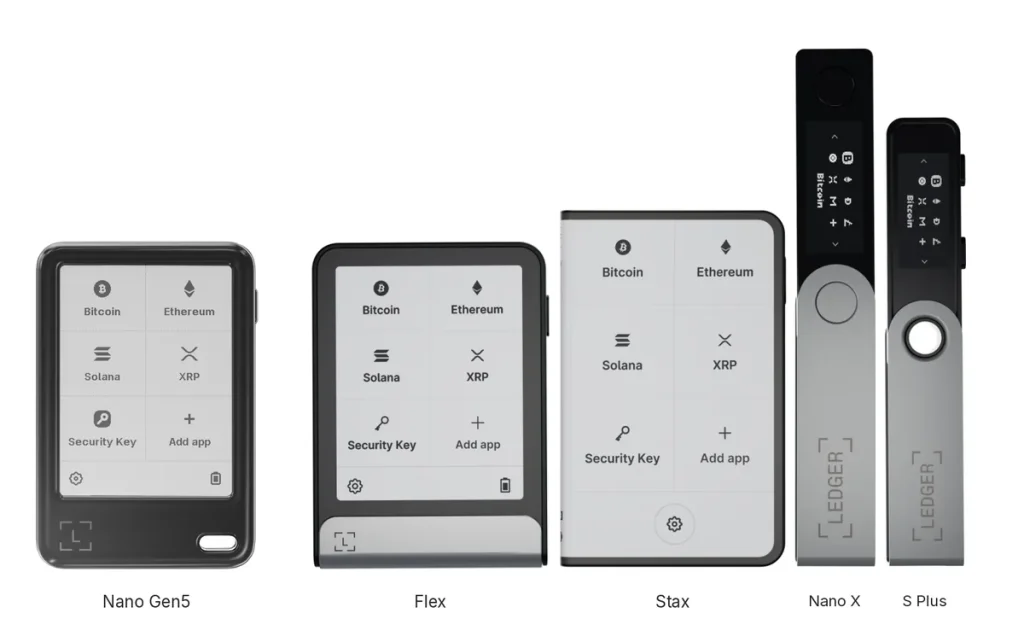
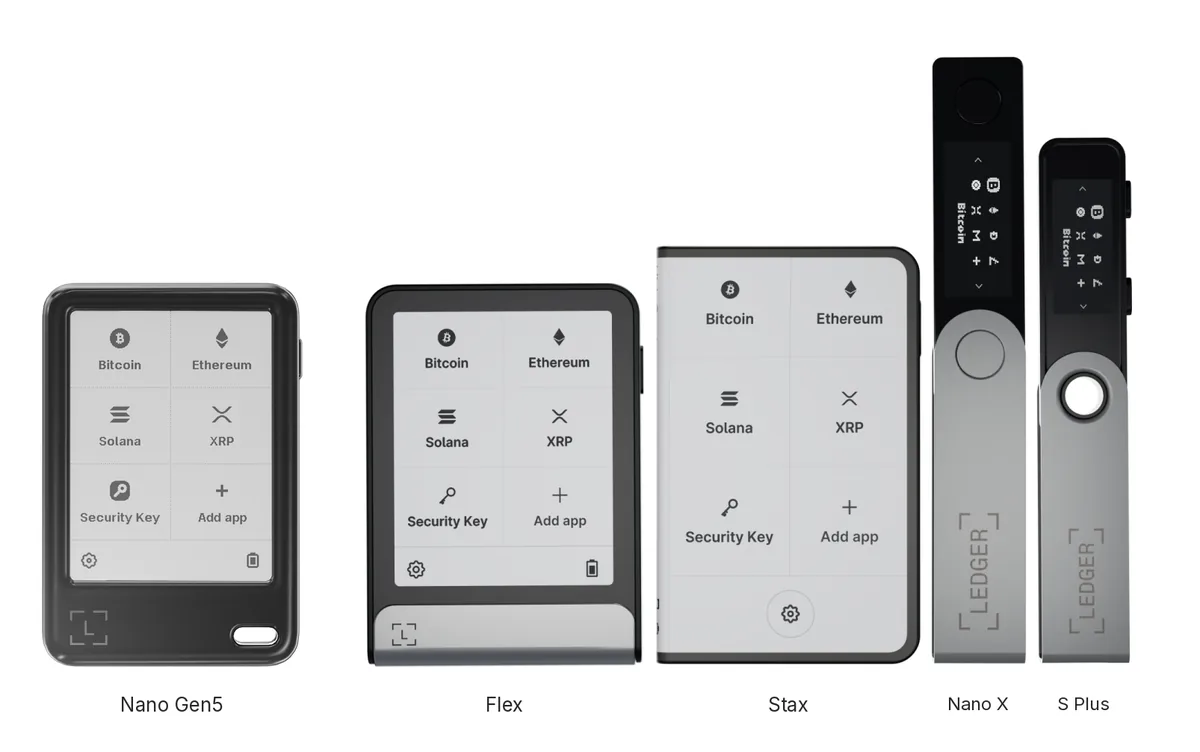
Ledger currently sells five hardware wallets on its official store, plus a reservation-only device called Atom. They all keep your keys on a Secure Element and sign on the device. The real differences are the screen, how it connects, whether it has a battery, and whether it works with your iPhone. Here is how I’d choose.
The short version
- Holding BTC long term, on a budget, no iPhone: Nano S Plus. Read the Ledger Nano S Plus breakdown.
- Want the classic Nano stick but need iPhone and Bluetooth: Nano X. Read the Ledger Nano X breakdown.
- Sign transactions every week and want a touchscreen without spending a lot: Nano Gen5. Read the Ledger Nano Gen5 breakdown.
- Active NFT and DeFi wallet, want the sharpest screen and a tougher build: Flex. Read the Ledger Flex breakdown.
- Collector who wants the biggest screen, wireless charging and an NFT lock screen: Stax. Read the Ledger Stax breakdown.
- Curious about the phone-sized signer coming in 2027: Atom reservation. Read the Ledger Atom breakdown.
Side by side
| Model | Screen | Connectivity | Battery | Secure Element |
|---|---|---|---|---|
| Ledger Nano S Plus | 1.1 in. monochrome OLED, 128 x 64 px | USB-C | No battery (cable powered) | ST33K1M5, CC EAL6+ |
| Ledger Nano X | 1.1 in. monochrome OLED, 128 x 64 px | Bluetooth 5.2, USB-C | Battery, 5 hours (Ledger’s figure) | ST33J2M0, CC EAL5+ |
| Ledger Nano Gen5 | 2.8 in. monochrome E Ink touchscreen, 300 x 400 px | Bluetooth 5.2, NFC, USB-C | Not stated on the product page | ST33K1M5, CC EAL6+ |
| Ledger Flex | 2.8 in. 16-grayscale E Ink touchscreen, Gorilla Glass, 480 x 600 px | Bluetooth 5.2, NFC, USB-C | 10 hours (Ledger’s figure) | ST33K1M5, CC EAL6+ |
| Ledger Stax | 3.7 in. curved 16-grayscale E Ink touchscreen, 400 x 670 px | Bluetooth 5.2, NFC, USB-C, Qi wireless charging | 10 hours (Ledger’s figure) | ST33K1M5, CC EAL6+ |
Specs from each model’s official product page on shop.ledger.com, checked November 19, 2026.
What matters most for this crowd
Screen size is security. When you approve an OpenSea listing or a token approval, you’re trusting what the device shows you. A bigger, sharper screen makes it easier to actually read the details instead of clicking through.
iPhone users: skip the S Plus. Ledger states it doesn’t work with iOS.
APE and ApeChain. Ledger’s support site confirms APE as an ERC-20 token on Ethereum in Ledger Wallet. I couldn’t find a Ledger page that documents ApeChain as a network in Ledger Wallet as of November 19, 2026. Check the Receive screen’s network list in Ledger Wallet and ApeChain’s own docs before moving anything, and test with a small amount.
NFTs. Every model’s spec sheet lists NFT support through third-party wallets. The Stax adds an NFT lock screen.
Rules for every model
- Buy only from shop.ledger.com or a reseller on Ledger’s official list.
- Never use a device that arrives with a recovery phrase already written down.
- Never type your 24 words into a computer, phone, website or app. Ledger will never ask for them.
- Run the Genuine Check in Ledger Wallet during setup.
- Watch for lookalike domains and fake Ledger emails.
Prices change and Ledger runs promos often. See current prices on Ledger’s official store.
Disclosure: This post contains affiliate links. If you buy through them, I may earn a commission at no extra cost to you. I only point you to Ledger’s official store, never a third-party seller. Nothing here is financial advice.