The Verified Profile Toolkit
Google Business Profile toolkit from William Worthy, SEO Director at Media Minds DMA
Get your Google Business Profile verified, keep it verified, and run it well.
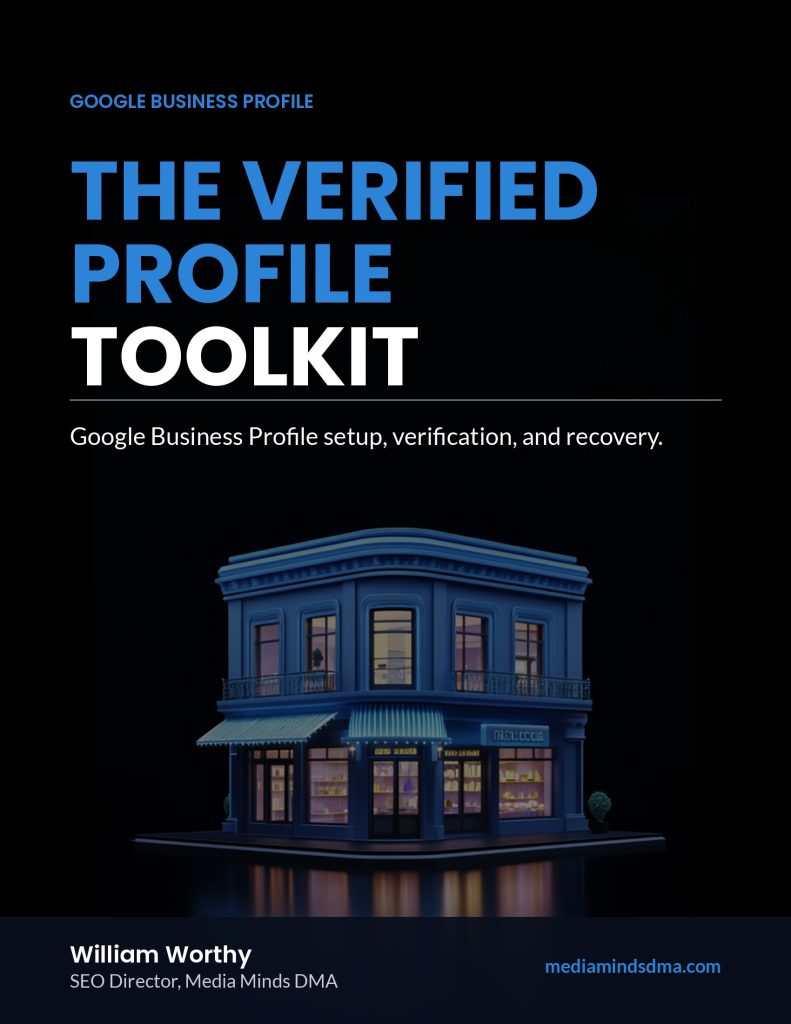
The Verified Profile Toolkit puts the way I approach Google Business Profile setup, verification, and upkeep into guides and worksheets you can work through yourself. Seven pieces, 76 pages, in PDF and editable Word.
One-time purchase. Instant download. Not affiliated with Google.
A profile can be stuck for reasons that have nothing to do with how good the business is.
A business can be open, busy, and easy to find in person, and still have a Google Business Profile that will not verify. Usually the cause is small and fixable:
- The name, address, or phone on the profile does not match the website or the paperwork.
- A verification video left out one of the things Google needs to see.
- The address is a type Google does not accept, such as a virtual office or a mailbox.
- Someone edited the business name or category while verification was pending.
- There are two profiles for the same business.
None of this is obvious from inside the dashboard. Google tells you what failed, but not always why, and the help pages assume you already know how the pieces fit together. The toolkit fills in that gap.
What is inside
1. The Verified Profile Playbook (22 pages)
The core guide. Ten chapters covering eligibility, setup, every verification method Google currently uses, what to do when verification stalls, optimization, photos, reviews, posts, performance data, and a maintenance routine. Updated for how Business Profile works in 2026, including the retirement of chat and public Q&A.
2. Setup & Verification Guide (9 pages)
Step-by-step setup in the order the work is best done, from the owner account to the final review, with a two-week plan.
3. Review Management Guide (8 pages)
A review system a small team can run: monitoring, replies to positive and negative reviews, asking for reviews within Google’s rules, and handling reviews that break policy.
4. Verification Recovery Field Guide (9 pages)
For when things go wrong. How to tell an unverified profile from a suspended one, what to fix first, how to plan a second verification video, how appeals and ownership requests work, and a recovery log to keep your attempts in order.
5. Profile Health Checklist (6 pages)
59 check items across access, eligibility, verification, core information, content, reviews, and performance, plus a weekly, monthly, and quarterly rhythm.
6. Google Business Profile Workbook (13 pages)
16 exercises that produce real outputs: a master information sheet, a verification readiness check, a finished description, a photo audit, review reply practice, and a monthly tracker.
7. AI Prompt Pack (9 pages)
25 prompts for drafting descriptions, service lists, review replies, post calendars, verification shot lists, and appeal summaries with an AI assistant, with rules for checking what it writes.
Every piece comes as a PDF to read and print, and as an editable Word file you can adapt for your team.
Who it is for
- Owners setting up a profile for the first time who want to get it right once
- Owners whose verification is pending, or whose first video was not accepted
- Office managers and marketers who run a profile for a business and need a repeatable system
- Agencies and freelancers who want a clear process to hand to clients
Who it is not for
- Anyone looking for a way around Google’s rules. The toolkit does not cover fake addresses, keyword-stuffed names, or bought reviews, because those are the things that get profiles suspended.
- Owners who want someone else to handle it. If that is you, the done-with-you service below is the better fit.
What the toolkit can and cannot do
Google owns Business Profile. Google chooses which verification methods you are offered and decides whether a profile is verified, suspended, or reinstated. No guide, consultant, or agency can make that decision for Google, and you should be wary of anyone who says they can.
What the toolkit does is help you present an accurate, consistent, well-documented business, prepare properly for the method Google offers, and avoid the common mistakes that slow things down.
If you would rather have it done with you
Some profiles need more than a checklist. If you have made several verification attempts, have a suspension on record, or are dealing with an ownership dispute, I also offer done-with-you Google Business Profile verification recovery through Media Minds DMA. I read the profile, the website, and the paperwork, then walk you through the verification steps Google offers.
That service is $698 per location. Toolkit buyers receive a $125 credit toward the assessment, so the toolkit is a sensible first step either way.
See how verification recovery works
About me

I am William Worthy, SEO Director at Media Minds DMA, a full-service digital marketing agency in Ocala, Florida. I lead the agency’s SEO work, including local SEO and Google Business Profile. The agency also builds websites, manages social media and content, runs paid campaigns on Google and Facebook, and sets up marketing automation for small businesses on CSuiteware, the platform we use to power client CRM, follow-up, review requests, and messaging.
This toolkit is the written version of how I approach a profile: start with eligibility, make every source tell the same story, prepare for verification before attempting it, and keep the profile maintained once it is live.
The toolkit
The Verified Profile Toolkit
Seven pieces, 76 pages, PDF and editable Word
- The Verified Profile Playbook
- Setup & Verification Guide
- Review Management Guide
- Verification Recovery Field Guide
- Profile Health Checklist
- Google Business Profile Workbook
- AI Prompt Pack
$197, one-time
Instant download after checkout. Toolkit buyers receive a $125 credit toward a done-with-you verification recovery assessment.
Questions
Is this a Google product?
No. The toolkit is published by Media Minds DMA. Google, Google Business Profile, and Google Maps are trademarks of Google, which does not endorse this toolkit.
Does Google charge to verify a profile?
No. Creating and verifying a Business Profile is free from Google. The $197 is for the toolkit.
Will this get my profile verified?
It will help you prepare an accurate, well-documented case and avoid common mistakes. Google makes the verification decision.
My profile is suspended. Will this help?
The Verification Recovery Field Guide explains how suspensions differ from verification problems, what to correct, and how the appeal process works. If you would rather have help, the done-with-you service reviews suspensions before any verification work starts.
Is it current?
This edition reflects Google Business Profile as of October 2026, including the retirement of Business Profile chat in 2024 and the removal of public Q&A. Google changes the product often, and each guide points you to the Help Center for current steps.
What format is it in?
Each piece is a PDF and an editable Word file. You can print the checklist and workbook or fill them in on screen.
I manage several locations. Do I need one per location?
One toolkit covers your business and its locations. Please do not resell or redistribute it.
How does the $125 credit work?
If you request a verification recovery assessment after buying the toolkit, the $125 assessment fee is credited. The recovery fee and its terms are the same as on the service page.
Who do I contact with a question?
Reply to your delivery email, and it comes to me.
The Verified Profile Toolkit is published by Media Minds DMA. Google, Google Business Profile, and Google Maps are trademarks of Google LLC. This toolkit is not affiliated with, endorsed by, or sponsored by Google. Profile rules, verification methods, and approval decisions belong to Google and can change.