Ledger Stax Review: The Premium Ledger for Collectors
This post contains affiliate links.
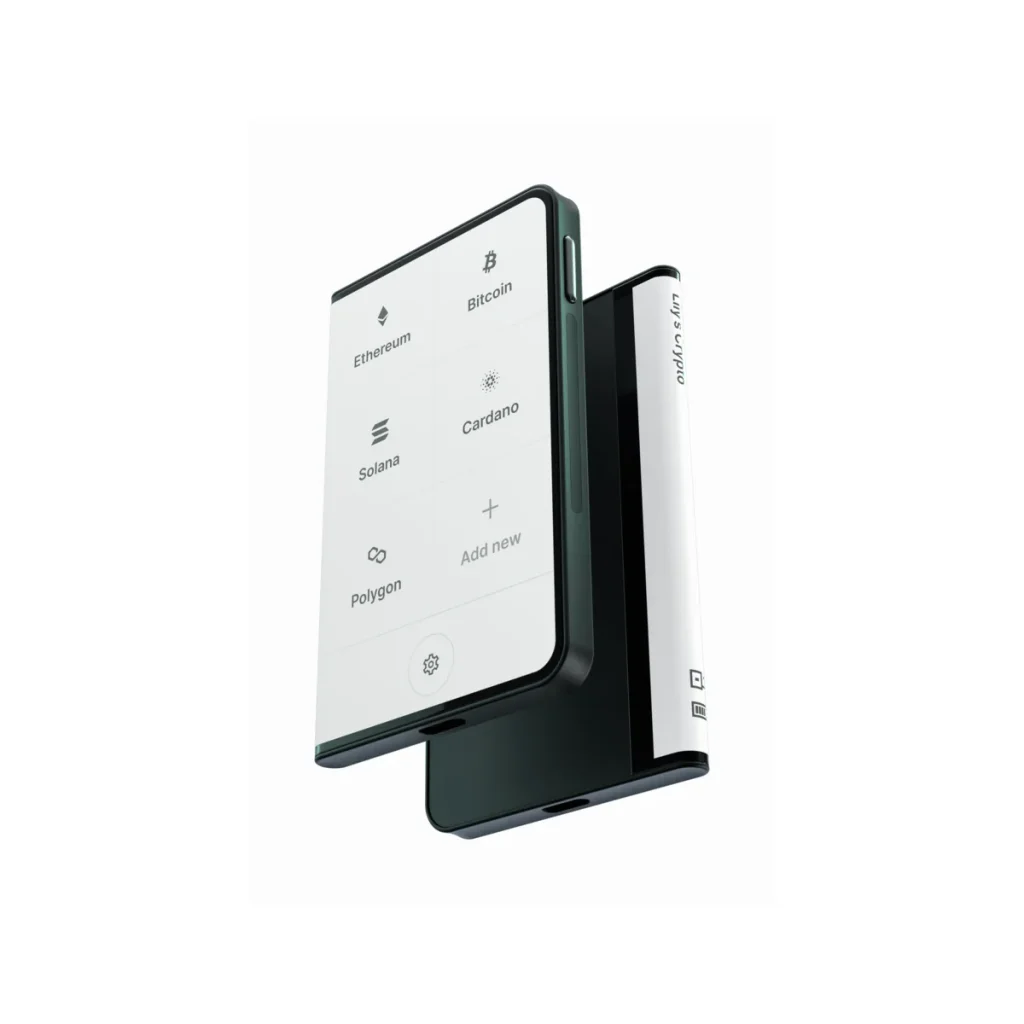
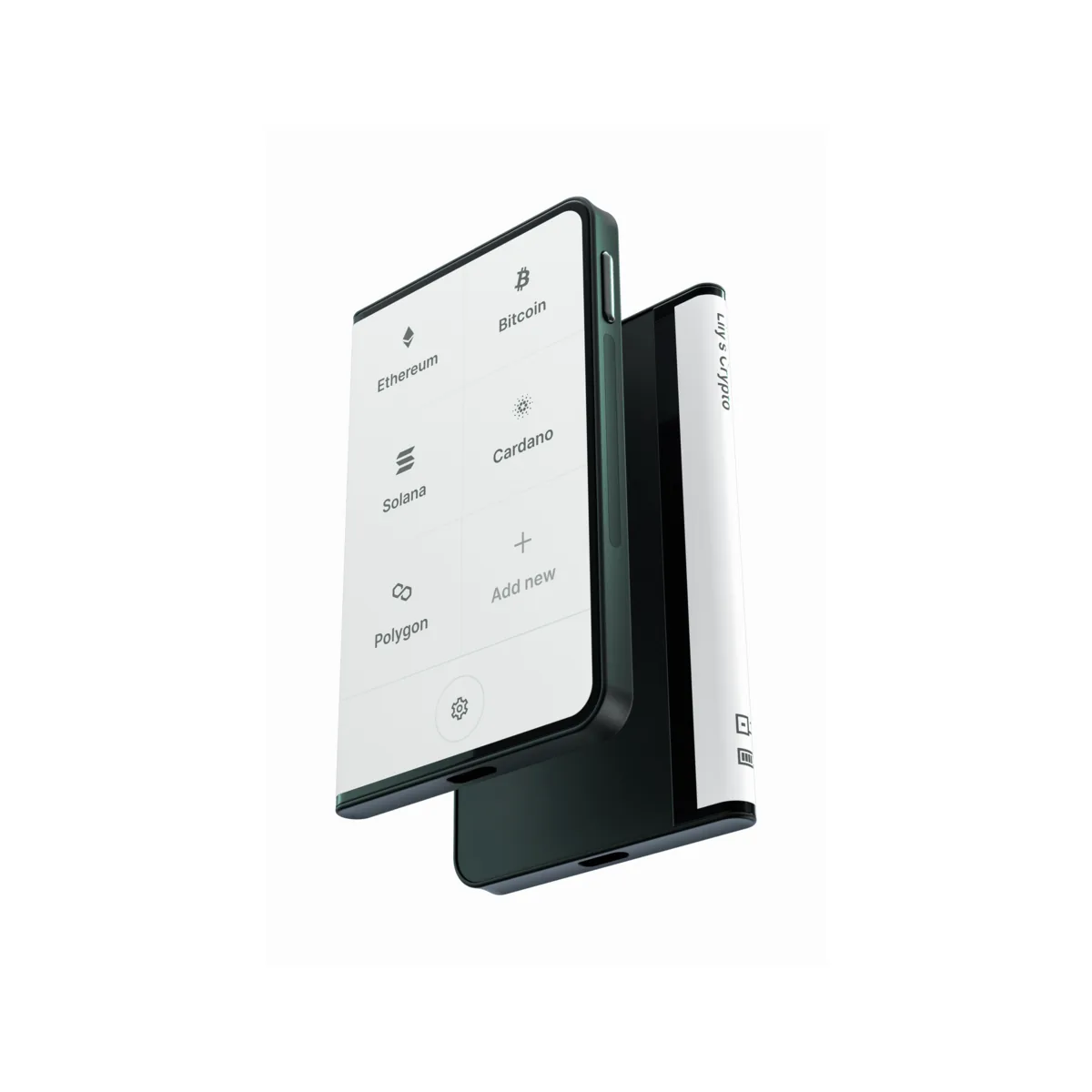
The Stax is Ledger’s top device, and it’s the only one where your NFT can literally be the lock screen. Ledger says you can set your favorite picture or NFT as the lock screen on its curved E Ink display. If you hold a BAYC, a Mutant or anything you’re proud of, that is a fun detail. It is also the biggest screen Ledger makes, which is the part that actually protects you.
Check the Ledger Stax on Ledger’s official store
Who it is for
Collectors and long-term holders who want the best screen to read transactions on and don’t mind paying for it. It is about the size of a credit card and, in Ledger’s words, no thicker than a stack of five credit cards.
Key specs, straight from Ledger
- Screen: 3.7 inch curved, 16-grayscale E Ink touchscreen that wraps onto the side, 400 x 670 px, anti-glare
- Connectivity: Bluetooth (BLE 5.2) for iOS and Android, NFC for the Ledger Recovery Key and Security Key, USB-C for desktop and Android
- Battery and charging: 10 hours of battery autonomy per Ledger, plus Qi wireless charging. Ledger notes exact battery life depends on usage and settings.
- Secure Element: ST33K1M5, CC EAL6+, Ledger OS
- Build: aluminium and plastic with embedded magnets so Stax devices stack. 85 x 54 x 6 mm, about 48.6 g
- Phones: iOS 14+ or Android 10+. Not compatible with Chromebooks.
- Assets: 500+ crypto in Ledger Wallet, thousands of coins, tokens and NFTs via third-party wallets
- In the box: Stax, USB-C to USB-C cable, 3 Recovery Sheets, a Magnet Shell (Midnight Black), a Ledger Recovery Key and a guide
One small thing Ledger is upfront about: images on the Stax display show in black and white. Your colorful Ape will be grayscale.
Price: Ledger changes prices and runs promos often, so I don’t list one here. See the current price on Ledger.
APE, ApeChain and NFTs: what Ledger actually says
Ledger’s support site says ApeCoin (APE) is supported in Ledger Wallet as an ERC-20 token on Ethereum. That covers APE you hold on Ethereum mainnet.
ApeChain is a different story. As of November 19, 2026 I could not find a Ledger page that documents ApeChain as a supported network in Ledger Wallet, so I am not going to tell you it works there. Before you move anything on ApeChain, check two places: the network list on the Receive screen in Ledger Wallet (Ledger’s own guide says if the network isn’t listed, Ledger Wallet doesn’t support it yet), and ApeChain’s docs for wallet setup. If you use a third-party wallet connected to your Ledger, test with a tiny amount first.
On NFTs, Ledger’s spec sheet for this device says “thousands of coins, tokens, and NFTs supported via third-party wallets.” For BAYC and other Yuga collections, that usually means connecting the Ledger to a wallet you already use and signing on the device. Read every signing prompt on the screen before you approve, especially on OpenSea listings and approvals. On the Stax, Ledger specifically says you can set an NFT as the lock screen.
How it compares
Next to the Flex, the Stax gives you a bigger 3.7 inch curved screen, wireless charging, magnets and a protective shell in the box. The Flex has a slightly higher pixel count on a smaller 2.8 inch screen and a Gorilla Glass front. Next to the Nano Gen5, it’s a big step up in screen and build. Next to the Nano X and S Plus, it’s a different class of device.
| Model | Screen | Connectivity | Battery | Secure Element |
|---|---|---|---|---|
| Ledger Nano S Plus | 1.1 in. monochrome OLED, 128 x 64 px | USB-C | No battery (cable powered) | ST33K1M5, CC EAL6+ |
| Ledger Nano X | 1.1 in. monochrome OLED, 128 x 64 px | Bluetooth 5.2, USB-C | Battery, 5 hours (Ledger’s figure) | ST33J2M0, CC EAL5+ |
| Ledger Nano Gen5 | 2.8 in. monochrome E Ink touchscreen, 300 x 400 px | Bluetooth 5.2, NFC, USB-C | Not stated on the product page | ST33K1M5, CC EAL6+ |
| Ledger Flex | 2.8 in. 16-grayscale E Ink touchscreen, Gorilla Glass, 480 x 600 px | Bluetooth 5.2, NFC, USB-C | 10 hours (Ledger’s figure) | ST33K1M5, CC EAL6+ |
| Ledger Stax | 3.7 in. curved 16-grayscale E Ink touchscreen, 400 x 670 px | Bluetooth 5.2, NFC, USB-C, Qi wireless charging | 10 hours (Ledger’s figure) | ST33K1M5, CC EAL6+ |
Specs from each model’s official product page on shop.ledger.com, checked November 19, 2026.
Honest pros and cons
Pros
- Biggest screen Ledger makes, easiest to read what you sign
- Qi wireless charging and a 10 hour battery per Ledger
- Magnet Shell and Recovery Key included
- NFT or photo lock screen
Cons
- The most expensive device in the lineup
- Lock screen images show in grayscale only
- The curved plastic display is not Gorilla Glass like the Flex
- No Chromebook support
Setup and self-custody rules I would not skip
- Buy from the official store or a listed reseller. Ledger’s own support pages say to buy only from shop.ledger.com or an authorized reseller on its reseller list. A “great deal” from a random marketplace seller is exactly how tampered devices end up in people’s hands.
- Your 24 words are generated on the device, by you. If a Stax arrives with a recovery phrase already printed or written in the box, do not use it and do not send funds to it. Ledger calls this the pre-seed scam and says a real device never ships that way.
- Nobody from Ledger will ever ask for your phrase. Not support, not the Ledger Wallet app, not an email, not a letter in your mailbox. The only place those words ever get typed is on the device itself during setup or restore.
- Run the Genuine Check. Ledger Wallet runs a cryptographic check during setup to confirm the Secure Element is real. Let it finish.
- Watch for lookalike sites. Phishing emails use domains with small misspellings. Type shop.ledger.com yourself or use a bookmark, and download Ledger Wallet only from Ledger’s official site.
- Store the backup offline. Paper or metal, somewhere fire and water won’t get it, and never in a photo, a notes app, a cloud drive or a DM to yourself.
- Test small first. Send a small amount, confirm you can see and move it, then move the rest.
My take
If your wallet holds things you would be sick to lose, and you want the device you use every day to be the nicest one, the Stax is it. If you’re watching your budget, the Flex gets you most of the way.
See the Ledger Stax on Ledger or read which Ledger you should buy.
Disclosure: This post contains affiliate links. If you buy through them, I may earn a commission at no extra cost to you. I only point you to Ledger’s official store, never a third-party seller. Nothing here is financial advice.