Building a Hybrid Meeting Room Around a Vibe Smart Board (and Why I Am Not Recommending a GPU Right Now)
This post contains affiliate links.
Most small teams do not need more software. They need a room where the remote people can actually see the whiteboard and hear the person at the far end of the table. That is a hardware problem, and it is one of the few places a Cyber Week purchase pays for itself in meetings that end on time.
This is the setup I would build for an agency, SEO team or small office: a Vibe S1 smart board as the shared screen and whiteboard, a stand so it can move between rooms, a camera that sees the whole table, and a dock so any laptop can drive it with one cable. I favored listings sold by Amazon.com or the brand’s own store. Use the links for today’s price.
Cyber Week note: a meeting room upgrade is usually several separate purchases, so this is a good week to sort out the mounts, cameras and cables together. You can browse Amazon’s current deals alongside the picks below.
The short list
- Vibe S1 55-inch All-in-One Smart Board: the huddle room board
- Vibe S1 75-inch All-in-One Smart Board: the conference room board
- Vibe Portable Stand for the 55-inch Board: roll the board between rooms
- Vibe Portable Stand for the S1 75-inch Board: the matching stand for the 75
- Vibe 4K Smart Camera: the board’s own AI tracking camera
- Meeting Owl 4+ and Owl Bar Bundle: 360 view of the table plus a front camera
- Meeting Owl 3 and Whiteboard Owl Bundle: a 360 camera plus a camera aimed at a regular whiteboard
- Owl Labs Whiteboard Owl Camera: add-on for an Owl you already own
- Meeting Owl 3 with Expansion Mic: for long tables
- CalDigit TS4 Thunderbolt 4 Dock: one cable from any laptop to the room
1. Vibe S1 55-inch All-in-One Smart Board
The S1 55 is a 4K touchscreen, whiteboard and computer in one. It runs VibeOS on Chromium OS with access to the apps teams already use, from Google Workspace to Microsoft 365, and it saves whiteboard sessions to the cloud so you can share them after the meeting. At 55 inches it suits huddle rooms and teams of four to six.
Who it is for: Small teams and agencies that brainstorm, review pages or plan campaigns together, in person and on calls.
Buying tip: Check which board variant you receive before you buy a camera for it. Vibe pairs specific camera models with specific S1 board versions.
2. Vibe S1 75-inch All-in-One Smart Board
Same software and workflow as the 55, scaled up for a proper conference room. The 75 adds 20-point touch, so several people can write at once, which matters when a strategy session turns into five people drawing at the same time.
Who it is for: Offices with a dedicated conference room and groups of six or more.
Buying tip: Measure the wall or plan for the rolling stand. A 75-inch board is heavy, and the mounting plan should be decided before it arrives.
3. Vibe Portable Stand for the 55-inch Board
A rolling stand turns one board into a shared resource for the whole office. Vibe’s 55-inch stand has a steel frame and four lockable wheels, and it is made specifically for the 55-inch board.
Who it is for: Teams without a dedicated meeting room, or offices that want the board in a different room each day.
Buying tip: This stand fits the 55-inch board only. Buy the 75-inch stand for the larger board.
4. Vibe Portable Stand for the S1 75-inch Board
The 75-inch version of the stand, with four lockable wheels and an assembly designed for the S1 75. It avoids a wall mount entirely, which helps if you lease your office.
Who it is for: 75-inch board buyers who rent their space or rearrange rooms often.
Buying tip: Check doorway widths before you plan to roll a 75-inch board between rooms.
5. Vibe 4K Smart Camera
Vibe’s own camera docks into the camera port on top of the board and adds six microphones, a 142 degree wide view and AI tracking, so remote people see whoever is talking in front of the board.
Who it is for: Vibe S1 owners who run video calls from the board itself.
Buying tip: Vibe says this camera works with Vibe S1 boards and matches camera models to board variants. Confirm the pairing with Vibe support before ordering.
6. Meeting Owl 4+ and Owl Bar Bundle
If people sit around a table instead of facing the board, a center-of-table 360 camera is the fix. The Meeting Owl 4+ films the whole table in 4K and focuses on whoever is speaking, and the bundled Owl Bar adds a front-of-room camera, with smart switching between the two views.
Who it is for: Hybrid teams where half the meeting is in the room and half is remote.
Buying tip: It connects over USB to the computer running the call. Plan where that computer lives in the room.
7. Meeting Owl 3 and Whiteboard Owl Bundle
Not every room needs a smart board. This bundle pairs the Meeting Owl 3 with the Whiteboard Owl, which enhances a regular whiteboard so remote attendees can read it. It is a lower cost way to fix the “we cannot see the board” complaint in a second room.
Who it is for: Teams with an existing whiteboard in a second meeting room.
Buying tip: Mount the Whiteboard Owl facing the board straight on, and keep the board clean of old ghost marks for best results.
8. Owl Labs Whiteboard Owl Camera
If you already have a Meeting Owl, the Whiteboard Owl on its own adds the whiteboard view without buying another 360 camera.
Who it is for: Existing Meeting Owl owners.
Buying tip: It requires a Meeting Owl to work. Check that your Owl model is supported before ordering.
9. Meeting Owl 3 with Expansion Mic
Long tables are where audio fails first. This bundle adds Owl Labs’ Expansion Mic to the Meeting Owl 3, extending pickup by about 8 feet in the direction of the mic.
Who it is for: Rooms with long conference tables where people at the far end get lost on calls.
Buying tip: Point the expansion mic toward the far end of the table, not toward the screen.
10. CalDigit TS4 Thunderbolt 4 Dock
The meeting room laptop should connect with one cable. The TS4 has 18 ports, 98W charging, 2.5GbE wired networking and support for an 8K display or two 6K displays, so the room camera, a wired network connection and a second display all hang off one plug.
Who it is for: Teams that rotate laptops through a meeting room, and anyone building a serious desk setup.
Buying tip: Thunderbolt and USB-C are not the same. Check that your laptop port supports Thunderbolt or USB4 for full speed.
Why there is no graphics card on this list
I went looking for RTX 5090 and 5080 cards to recommend for local AI. On Amazon this week, every RTX 5090 listing I found was priced several thousand dollars above NVIDIA’s launch price, and the RTX 5080 cards were sold by third-party sellers at more than double the launch price or carried Amazon’s own high price warning. I am not going to send you to those listings. If you need local AI horsepower now, a purpose-built box is a better use of the money.
Read my take on that here: NVIDIA DGX Spark for local AI and SEO teams.
A simple order of operations
- Fix audio first. A room where people cannot be heard is worse than one where they cannot be seen.
- Pick the board size for the room, not the budget.
- Decide wall mount or stand before delivery day.
- Standardize on one dock so every laptop connects the same way.
More guides on this site
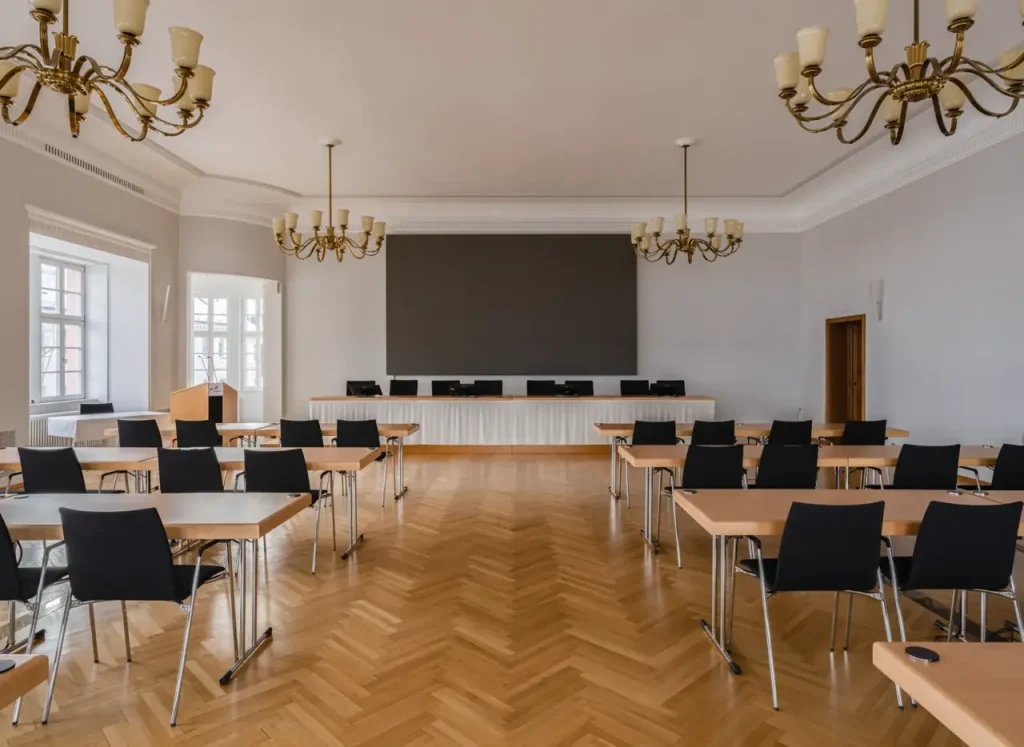
Featured image: PantheraLeo1359531 via Wikimedia Commons, CC BY 4.0
Disclosure: this post contains affiliate links. If you buy through them, William Worthy may earn a commission at no extra cost to you. As an Amazon Associate I earn from qualifying purchases. Prices and availability change often, especially during Black Friday and Cyber Monday week, so check the current price, seller and return window on Amazon before you buy.